Document Data Extractor
Extract fields from PDFs, images, and Word docs with pixel-exact bounding boxes in a standalone interactive HTML viewer.
How It Works
Document Data Extractor takes a document (PDF, image, or Word doc) and a natural-language description of the fields you need, then produces a standalone interactive HTML file showing the original document with editable bounding boxes drawn around each extracted field.
The key insight: instead of asking a vision model to guess pixel coordinates, the skill splits the work cleanly—Claude handles the semantics (deciding which text is the invoice number, vendor, etc.) while a Python script handles the geometry (using the PDF text layer or OCR to get pixel-exact coordinates).
Key Features
- One-shot extraction—provide a doc and field list, get back an interactive viewer with boxes drawn
- Works across PDF, PNG, JPG, and DOCX inputs with no per-format effort
- Pixel-exact coordinates for text-layer PDFs via
pdfplumber - OCR fallback for scanned PDFs and images via
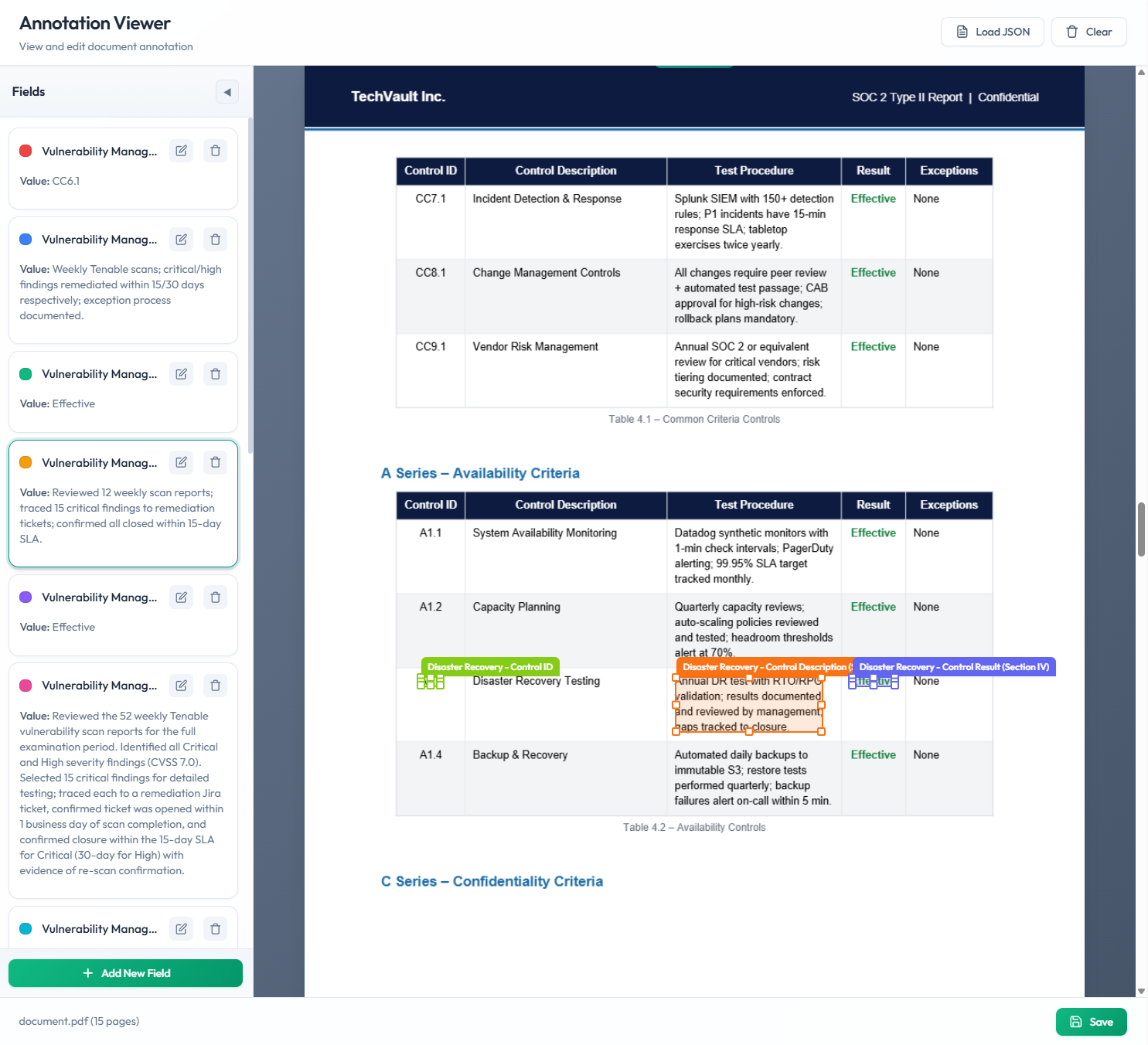
pytesseract - Editable bounding boxes—drag to reposition, resize corners, or draw new boxes
- Honest failures—fields that can't be located are flagged, not guessed
Tutorial: Extract Fields with Claude Code
Download the Document Field Extractor skill and add it to your Claude Code skills directory.
Point the skill at your document and describe the fields you need. For example: "Extract the vendor name, invoice number, date, and total from this PDF."
Claude identifies field values semantically, then a Python script maps each value to pixel-exact coordinates using the document's text layer or OCR.
Open the generated HTML file to see your document with color-coded bounding boxes. Click any field in the sidebar to jump to its location. Drag boxes to adjust, or draw new ones for anything the AI missed.